Stop Using "unload": Embrace the Browser Lifecycle API
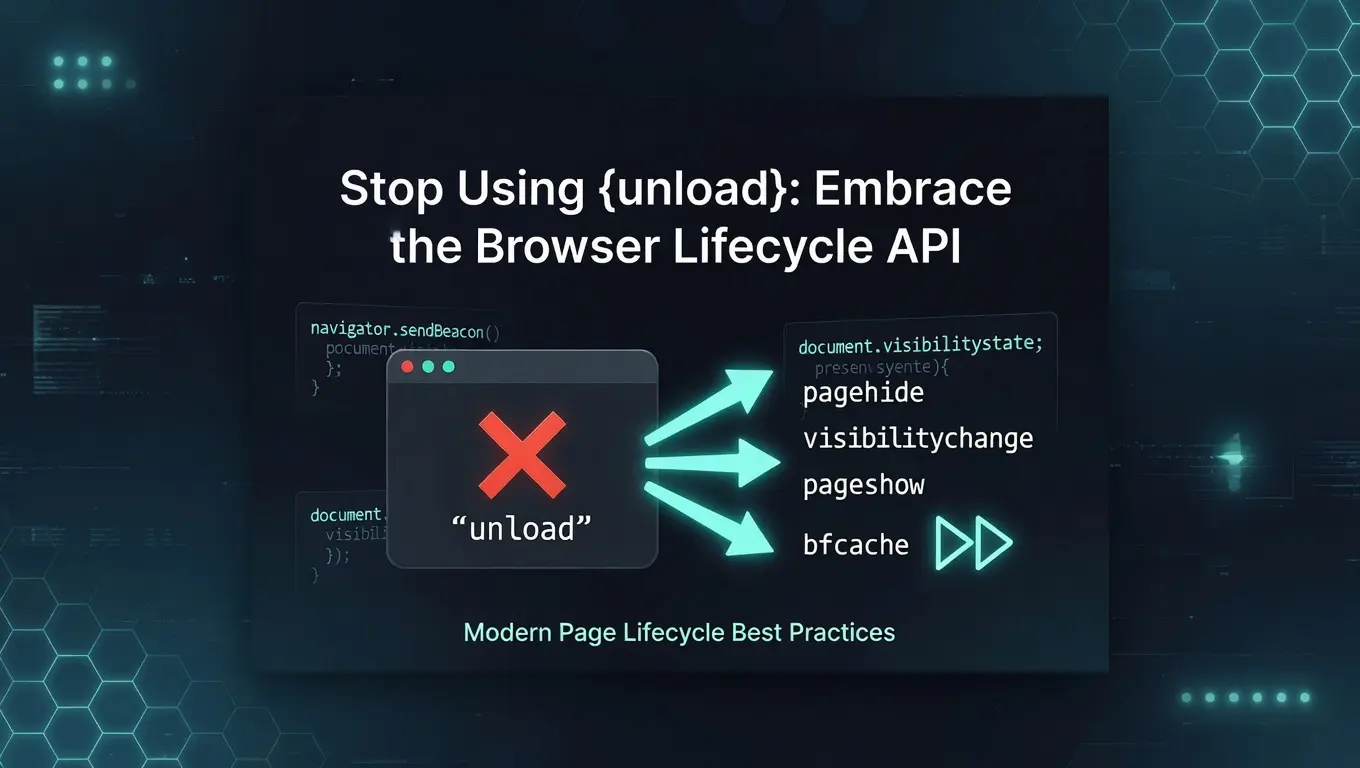
In the past, frontend pages rarely discussed page lifecycle topics in depth. The events most developers are familiar with are still load, beforeunload, and unload — used to listen for page load completion, the moment before leaving the page, and page unload, respectively. These were typically used to persist data or report analytics beacons.
However, these events (especially unload) have several well-known issues:
Problems with the unload Event
- No system-level monitoring of automatic state changes (only user-initiated events)
- Unreliable triggering, especially on mobile devices
- Prevents the page from entering the browser’s back/forward cache (bfcache), causing slower loading when users navigate back and forth
- Analytics beacons may fail to report reliably when the user leaves
- Cannot fully track the complete lifecycle of a page
Although computer hardware continues to improve, users now open more tabs and run more concurrent tasks than ever. Chrome’s notorious high memory usage has been a long-standing complaint. To combat this, modern Chrome versions automatically freeze or discard inactive tabs based on system resource usage, freeing memory and reducing battery consumption.
To address these limitations, modern browsers have introduced several new lifecycle events that allow developers to listen for key moments and handle them appropriately. Below are the most commonly used events that are especially important for analytics and beacon reporting.
Page Visibility: visibilitychange
The visibilitychange event covers a wide range of scenarios: switching tabs, navigating away, closing a tab, minimizing the window, or switching apps on mobile. You can listen for it on document and check document.visibilityState to determine whether the tab is currently visible:
document.addEventListener(
  'visibilitychange',
  (e) => {
    const isTabVisible = document.visibilityState === 'visible';
    console.log('tab is visible: ', isTabVisible);
  },
  { capture: true },
);Important: All lifecycle events discussed here should be registered in the capture phase (capture: true). This prevents business code from stopping propagation and works for events that don’t bubble at all (some fire at the window level).
Page Load and Unload: pageshow / pagehide
(Note: The event names can be confusing — pageshow/pagehide sound like they should relate to visibility, but they actually serve a different purpose.)
pageshow fires when a page is newly loaded or restored from a frozen state by the browser. You can check e.persisted to know how the page was loaded:
window.addEventListener(
  'pageshow',
  (e) => {
    // true = restored from bfcache (frozen → active)
    // false = fresh load or reload
    console.log('e.persisted: ', e.persisted);
  },
  { capture: true },
);
pagehide is the true modern replacement for the unreliable unload event. It fires with much more stable timing. This is where you should report analytics data or persist small amounts of state (using sendBeacon or fetch with keepalive, explained below).
Key timing note: visibilitychange has a broader trigger range and often fires before pageshow/pagehide (both on entry and exit). If your business logic needs to distinguish between “user switched tabs” vs. “user actually left the page,” handle them in separate event callbacks.
What is bfcache and why does it matter?
bfcache (Back/Forward Cache) is a browser performance feature that snapshots an entire page (DOM, JavaScript state, scroll position, etc.) when you navigate away. When you hit the back/forward button, the page is restored instantly from memory instead of reloading.
pagehidefires right before a page enters bfcache.pageshowwithe.persisted === truemeans the page was restored from bfcache.- Listening to
unload(or misusingbeforeunload) prevents the page from entering bfcache — one of the biggest performance killers for back/forward navigation.
Reporting Data When Leaving the Page
When you need to reliably send data on page exit (pagehide), use navigator.sendBeacon():
// queued = true means the browser accepted the request
const queued = navigator.sendBeacon('/api', data);
sendBeacon has a size limit (typically ~64 KB). Larger payloads are likely to fail, so keep data small. If you have a lot of data, report most of it earlier (e.g., during visibilitychange when the user switches tabs), leaving only ≤64 KB for the final pagehide.
For broader compatibility you can also use fetch with keepalive: true:
function send(body) {
  if (navigator.sendBeacon) {
    navigator.sendBeacon('/api', body);
    return;
  }
  fetch('/api', {
    body,
    method: 'POST',
    keepalive: true,
  });
}
Both methods have the same size limit and offer no guarantee of server receipt, but they are far more reliable than unload.
Other Lifecycle Events
In addition to the above, the browser’s Page Lifecycle API provides freeze and resume:
freezefires when the page enters the back/forward cache or when the browser discards the tab for resource reasons.resumefires when the tab becomes active again, immediately followed bypageshow.
These events are especially useful in Chromium browsers. For full details, see the Page Lifecycle API.
Screen Off, Sleep, or Hibernation
- Computer sleep / hibernation: Timers and network connections are paused. Handle critical persistence in
pagehide. - Screen off (display sleep): Triggers
visibilitychangeto hidden state. Timers are not stopped but may be heavily throttled by the browser (e.g., a 5-second interval may become 30 seconds or 1 minute) to save power.
Summary and Best Practices
The modern browser lifecycle APIs give developers much better control over a page’s entire life cycle.
- Replace
unloadentirely withpagehide(Chrome has been deprecatingunloadsince 2025; many sites no longer see it fire reliably). beforeunloadis still useful for “unsaved changes” warnings, but use it conditionally: add the listener only when there are unsaved changes and remove it immediately after saving. Never leave it attached permanently.- Prefer
pagehide+sendBeacon/keepalivefor any exit-time reporting. - Combine
visibilitychange,pagehide, andpageshowto get a complete picture of user behavior across tabs and navigation.
There are many more lifecycle events that let developers understand exactly when a user is in, out, or suspended from a page. In a future post I’ll cover how to track user navigation across the same tab / different tabs, record sessions, and enable session replay in the backend — giving far deeper behavioral insights than traditional beacons alone.
Originally written ~2.5 years ago and updated April 2026 with current best practices around bfcache, unload deprecation, and conditional beforeunload usage.